
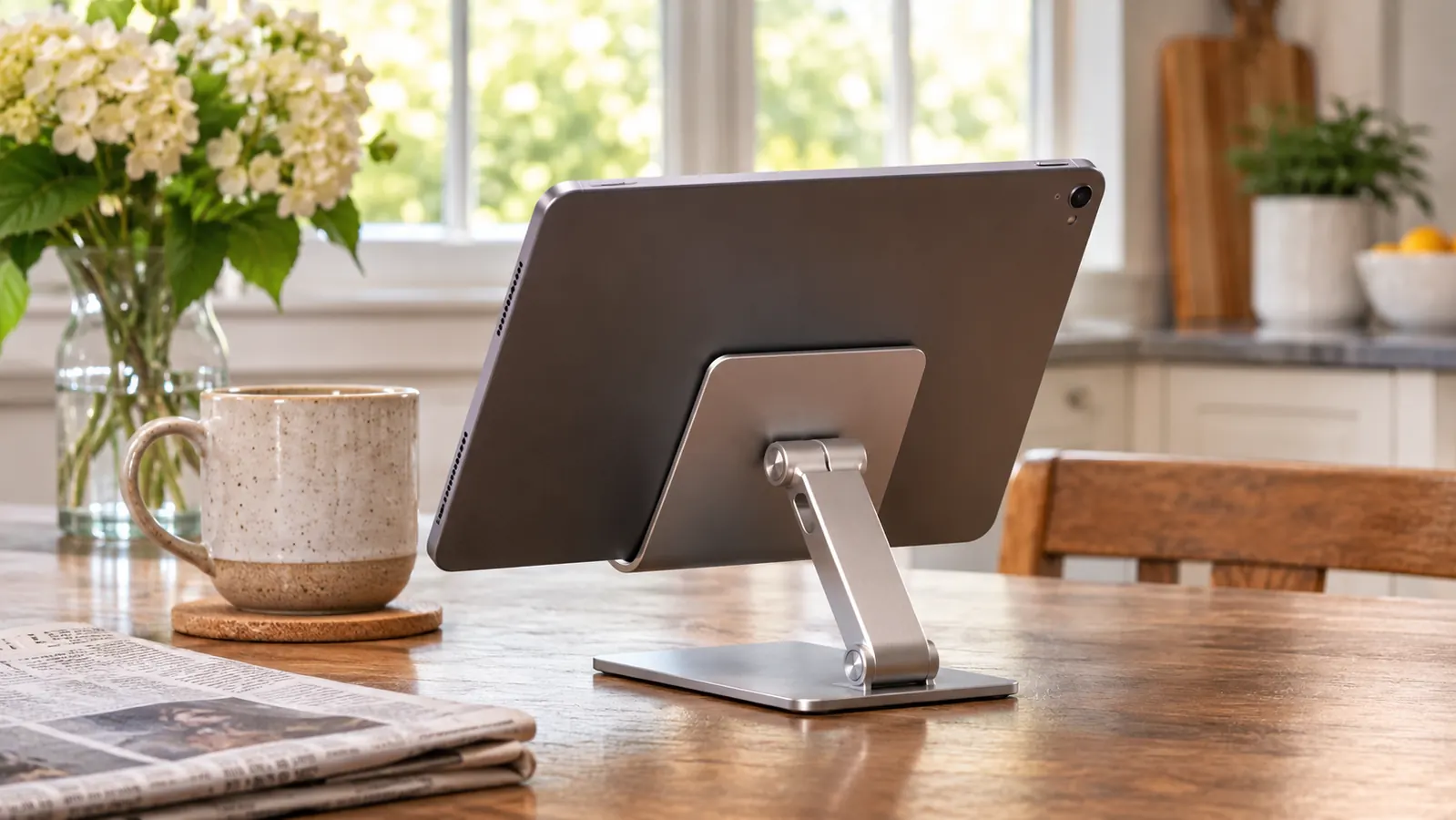
Carol and I take the Sunday video call from the kitchen table, and for the better part of a year I held the iPad in my left hand the entire time so the grandkids could see us. My shoulder ached by the end of it and the picture wobbled every time I laughed. I tried propping it against the cereal box. I tried a stack of Carol's cookbooks. I tried the folding cover that came with the iPad, which slid flat about four minutes into every call. What finally worked was a plain aluminum stand that stays where I put it, and that stand is the Lamicall tablet stand.
None of this is complicated, and that is the point. Most people who buy a stand like this one get it home, set the tablet in it once, and never touch the adjustment again. That is fine right up until the day their neck starts complaining, or their daughter says, Dad, we can only see your forehead. The five steps below are the ones that made the difference at my house. Each one takes less time to do than to read about.
Stop Holding It Up. Set It Down and Take the Call.
The Lamicall stand holds tablets and phones from 4 to 13 inches, weighs 8.81 ounces, and adjusts to the angle you actually need. Set it once and your hands are free for the rest of the conversation.
Amazon Check Today's Price on Amazon →Five Steps to a Hands-Free Setup
Step 1: Pick the Table Before You Pick the Angle
The stand mounts on a tabletop, so the first decision is which tabletop. I keep mine on the kitchen table through the morning and carry it to the desk by the window when I sit down with the mail. A hard, flat surface is what it wants. A couch cushion, a bedspread, or a lap tray with any give to it will let the base rock, and a rocking stand is worse than no stand at all, because you keep expecting it to hold still and it keeps letting you down.
For the first two weeks I had it on the kitchen table, then I moved it to a padded TV tray beside my recliner so I could watch the ballgame without sitting up straight. That second spot was a mistake. The tray top flexed a good half inch every time I set my coffee down, and the stand picked up every bit of that wobble. I moved it back to the oak table and the Lamicall stand has not moved since. Flat and firm is the whole rule, and that tray proved it to me.
The rubber feet under the base are doing quiet work here. They keep the stand from skating across a slick table when you tap the screen, and they keep the base from leaving marks on Carol's good tablecloth underneath. The rubber pads up in the hook do the same job for the device itself, so the edge of your tablet or phone is not sitting on hard metal every time you set it down. Small thing. You notice it after a year of daily use, not on day one.
One more word about placement. Put it where you can reach the screen without leaning forward. If you have to stretch to pause a video, you will end up picking the whole thing up, and the moment you do that the stand has stopped earning its keep. Six inches closer to the edge of the table makes a bigger difference than any angle setting on the thing.

Step 2: Measure Your Case Against the 18mm Hook
This is the step most people skip, and it is the one that matters most. The hook on the stand is 18 millimeters wide. In kitchen-table terms that is a hair over eleven sixteenths of an inch. Your tablet, or your tablet inside its case, has to be no thicker than that to sit down in the hook the way it should. That is the whole spec, and it is worth thirty seconds of your time.
Get a ruler or a tape measure and check it with the case on, because the case is what you will actually be using. The first time I checked mine I had the iPad out of its cover and it measured thin as a magazine. In the cover it was noticeably heavier stock. It still fit with room to spare, but I would not have known that from guessing. Guess wrong and you get a tablet that teeters forward every time you touch the top of the screen.
I measured mine with the wooden ruler that lives in the junk drawer, the one with the pencil marks all over it from thirty years of household projects. Out of the cover the iPad came in well under the mark. In the cover it was closer, maybe a sixteenth of an inch of room left at the top of the hook. I have set it in and out of that hook most days since and the pads have not loosened a bit. If you buy a new case, measure again, because cases are not all cut from the same cloth.
If your setup comes out over 18 millimeters, the fix is simple enough. Take the case off, or switch to a thinner one. A thick folio with a handle, or a keyboard built into it, is a different animal, and it is not what this stand was built to hold. There is no shame in that. It just means the stand is for the tablet and the keyboard case is for the road.
Step 3: Set the Angle Before You Seat the Device
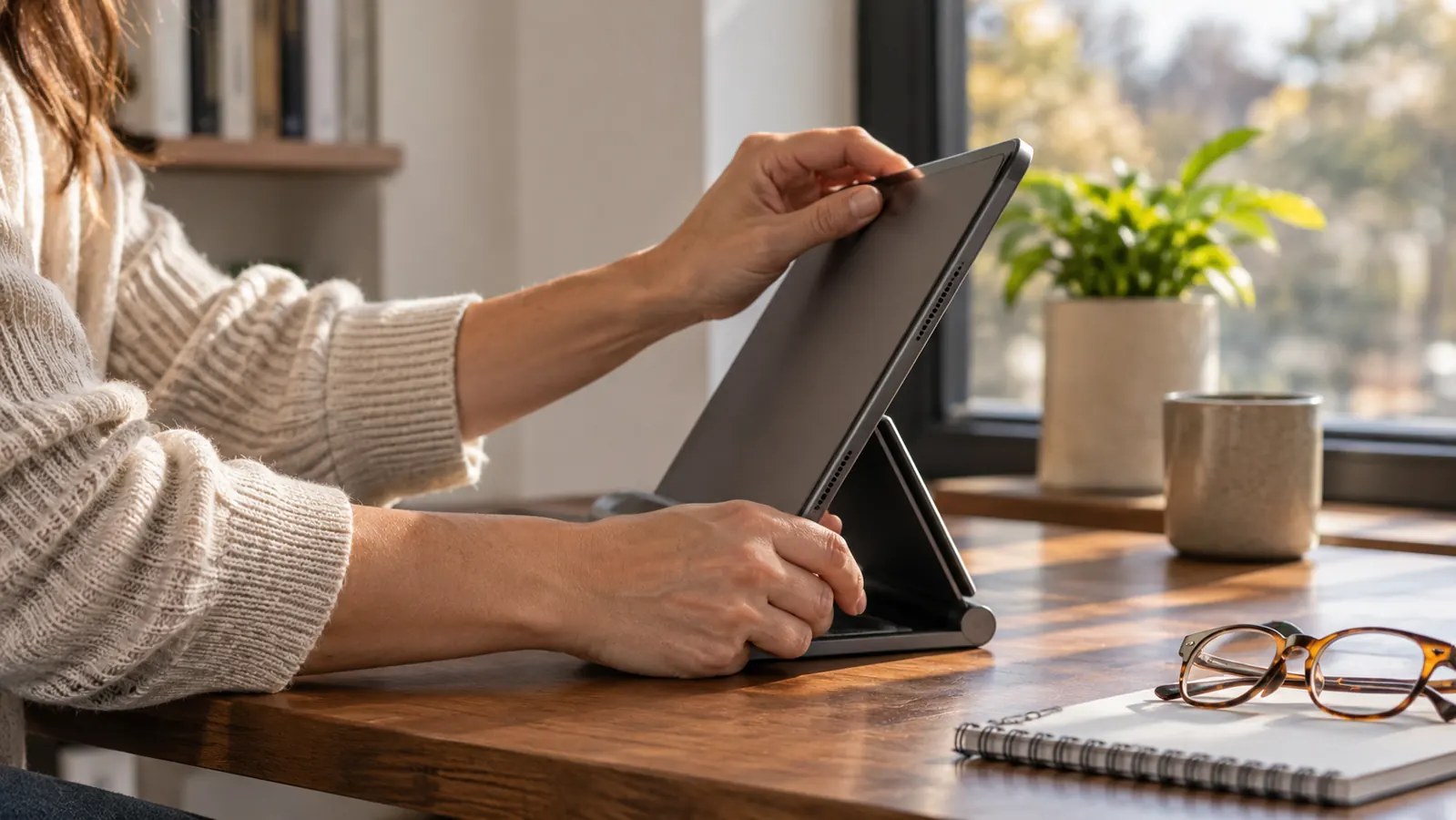
Set the angle with your hands empty. If you try to adjust the back while the tablet is already sitting in the hook, you are pushing against the weight of the device and the whole thing wants to tip. Set it first, then lay the tablet in and let the pads take the weight. Thirty seconds of doing it in the right order saves you a fumbled catch over a hard kitchen floor.
I use three angles at my house, and they are all the same adjustment done differently. Nearly upright for video calls, so the camera looks at my face instead of up my nose. Tipped back a good bit for reading the news with my coffee. Somewhere in the middle for watching a ballgame while I eat lunch and tapping the screen now and then. The stand is adjustable for exactly this reason. The right angle is the one you stop noticing.
Once it is set, give the tablet a light nudge toward you with one finger. It should sit still. If it rocks or shifts, either the device is sitting too high in the hook or the angle is too steep for the surface you are on. Small corrections, then leave it alone. Standing there fiddling with it is not the same as setting it up.
The whole stand weighs 8.81 ounces. I can move it from the kitchen table to the desk by the window with two fingers, which is the only reason it ever gets moved.
Step 4: Frame Yourself for the Call
Bring the screen up to eye level. That is the whole trick for video calls, and it is the reason I stopped dreading them. When the iPad is flat on the table, the camera points at the ceiling and the grandkids get a long look at my chin. When it is propped up on the stand, I sit back in the chair and the camera sees my face. Same tablet, same call, different setup.
The first Sunday call we made with it, I forgot to check where the tablet was pointing. My daughter spent the first five minutes looking at the top of my head and the ceiling fan turning behind me. I reached over, tipped the screen up until the camera sat level with my eyes, and she said, there you are. Nothing else changed that day. Same tablet, same kitchen, same call, and the only thing that moved was the angle.
Sit with the window in front of you, not behind you. Carol figured that out before I did. With the window at my back I looked like a shadow with a voice coming out of it, and she finally walked over and turned my chair around. Light on your face, plain wall behind you, tablet propped at eye level. That is the entire production. Nobody has ever asked me what kind of camera I use, and nobody ever will.
Sit close enough to be heard without raising your voice. A tablet microphone is a small thing a couple of feet away, and a stand lets you keep it at a steady distance instead of waving it around while you talk. That steadiness is worth more than any setting you can change on the screen.
Step 5: Hand Off the Screen, Not the Tablet
The grandkids are here most weekends, and the iPad is the most fought-over object in the house. Before the stand, handing it over meant somebody's neck bent at an angle no neck should bend, and the tablet ended up flat on the rug with a sock on top of it. Now it sits on the coffee table and they watch together, and I do not have to referee whose turn it is to hold the thing.
I use it the same way for myself. Recipes while I am cooking, since a propped screen stays readable from a step back and does not go dark the way a held one does when you set it down. The news with breakfast. The instruction sheet while I am on hold with the insurance company. None of it is exciting, and all of it is easier with both hands free.
The stand takes phones as well as tablets, anywhere from 4 to 13 inches, so Carol's phone sits in it when she is following a video or waiting on a call. Same 18 millimeter rule applies with a phone. Check it in its case before you assume it will fit.
What Else Helps
A stand only solves the holding problem. If the call still drops or the picture still stutters, the stand is not the culprit and no amount of adjusting will fix it. That is not a fault in the Lamicall stand, it is just a different problem with a different answer. Check the plain things first: the Wi-Fi router in the next room, a case covering the microphone, the volume turned down because somebody bumped the side button getting out of the car.
One thing I did not expect: the stand changed where the tablet sits, and that changed how I sound. Flat on the table it picked up the refrigerator running and every plate Carol set down beside it. Propped up at eye level it sits above most of that noise, and she tells me I come through clearer on her end than I used to. Nobody lists that on the box. It is still the reason the thing stays on the table instead of going in the drawer.
Keep the pads clean. The rubber in the hook and the feet under the base both pick up dust, and dusty rubber slips. A damp cloth once a month is plenty, and the same cloth does the screen. No sprays, no paper towels, nothing you would not use on your eyeglasses.
If you charge while you watch, put the stand at the end of the table nearest the outlet. A short cable pulls the whole setup sideways when you shift in your chair, and a stand that has been dragged six inches is a stand that is about to tip. Move the stand, not the cable. That one sentence would have saved me a cracked screen protector two winters ago.
Set It Once. Keep Both Hands for the Call.
The Lamicall tablet stand holds tablets and phones from 4 to 13 inches, weighs 8.81 ounces, and sits on rubber feet that do not skate. Adjust it to whatever angle your neck prefers, then leave it be.
Amazon Check Today's Price on Amazon →